 XRP Ledger

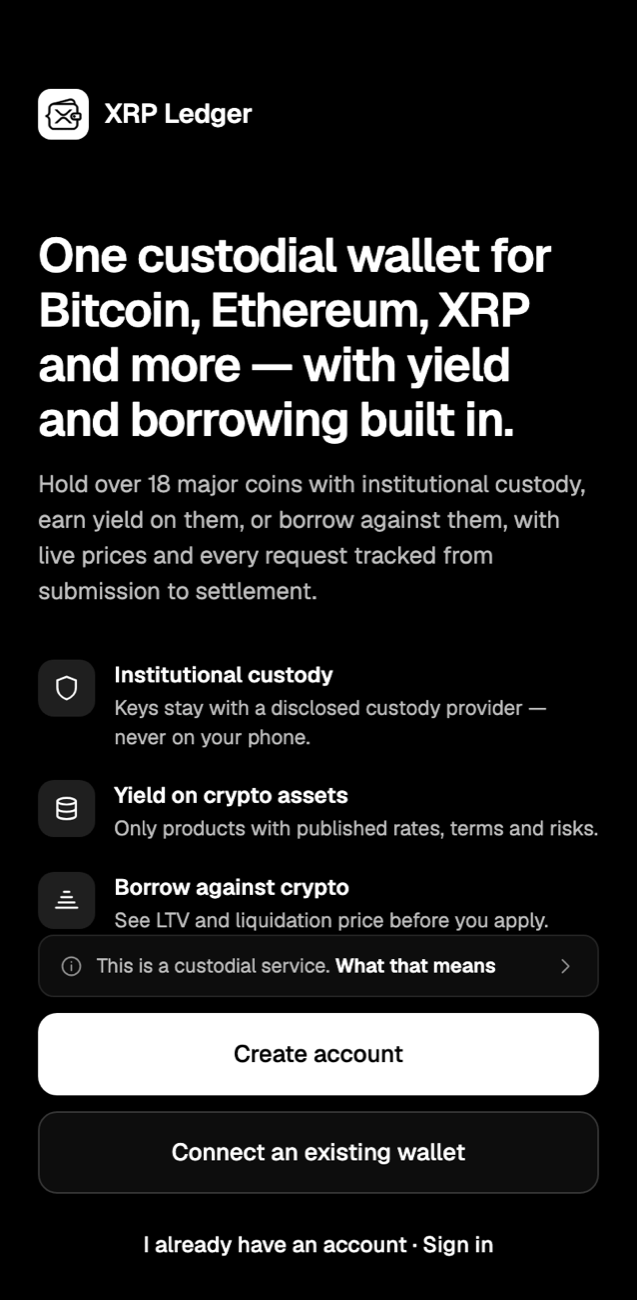
The Smarter Crypto Wallet. Hold, Earn and Borrow with Confidence.
Institutional custody. Complete clarity.
A clear way 
 into the complicated world

 of crypto.
No special knowledge needed. XRP Ledger shows you what every action means, what it costs and what happens next, before you confirm.
See how it works →Everything your crypto needs.
One account for the coins you hold, the yield you earn and the loans you take.
Institutional custody for every coin you hold.
Assets are held through a disclosed, institutional-grade custody provider. Private keys never sit on your phone, so there’s nothing to lose or back up.


Put your crypto to work.
Earn on idle coins or borrow against them, with every number shown before you commit.
Buy, sell and exchange
Buy with a card, swap between coins in a few taps, or sell and get paid by bank transfer.
Every request tracked
Deposits, withdrawals and loans show each stage, from submitted to settled.
Your local currency
Live prices and your total value shown in the currency of the country you sign up from.
Security at every step.
Layered protection on your account, with you in control of how strict it is.
Every withdrawal is reviewed.A person checks each one before it leaves the platform.
- Two-step sign-inTurn on an authenticator app for a one-time code each time you sign in.
- Personal security phraseChoose six words that confirm it’s really you when you sign in and withdraw.
- Automatic sign-outStep away and your session closes itself after 15 minutes of inactivity.
- App lock on AndroidOpen the app with your fingerprint or face, so only you get in.
- Keys off your phoneAssets stay with the custody provider, never stored on your device.
All your major coins, one balance.
Deposit, hold and track the leading assets, with live prices in your local currency.
XRP
Bitcoin BTC
Ethereum ETH
Tether USDT
 USD Coin USDC
Solana SOL
BNB
 TRON TRX
 Dogecoin DOGE
 Cardano ADA
 Stellar XLM
 Hedera HBAR
Litecoin LTC
 Cronos CRO
 Polygon POL
 Cosmos ATOM
 Dash
 Flare FLR
Up and running in minutes.
Create your account
Set up your crypto trust and account with your email and a secure password.
Verify your identity
Take a quick photo of your ID and a selfie, right from your phone.
Deposit and grow
Send in crypto or buy with a card, then earn, borrow or exchange.
Questions, answered.
Can’t find what you’re looking for? Our support team is one email away.
Contact support →What does a custodial wallet mean?
Your assets are held by the platform through its disclosed custody provider, rather than in a wallet whose keys you manage yourself. You don’t need to store a recovery phrase, and every withdrawal is reviewed before it’s sent. The Custody Agreement and Risk Disclosure in the app explain exactly how it works.
Which coins can I hold?
18 major coins, including Bitcoin, Ethereum, XRP, Solana, Tether, USD Coin, Cardano, Dogecoin and Stellar, across 21 networks.
How do I get the app on Android?
Tap Download for Android, open the file and tap Install. If your phone asks, allow installs from your browser. That’s expected for apps downloaded directly.
How do I use it on iPhone?
Open this page in Safari and tap Sign up. Once you’re in, tap the Share button and choose Add to Home Screen. XRP Ledger then opens full screen from your home screen, just like any other app.
How long do withdrawals take?
Every withdrawal is reviewed before it’s sent, so allow a little time. You can follow each stage in the app, from submitted to settled.
How does earning work?
Each Earn product shows its rate, terms and risks before you join. Rewards depend on the product and market conditions, so read the details for each one before you commit.
Can I connect a wallet I already have?
Yes. Connect an existing wallet to see it alongside your account. Connected wallets stay under your own control and are shown separately from the assets held with us.
I forgot my password. What do I do?
Email support.xrpledger@gmail.com from the address on your account and our team will help you get back in securely.
Your crypto, working for you.
Install it on Android, or use it on iPhone straight from your home screen. Same app, same account, same security.
Download for Android
Install the app directly. It takes about a minute.
- Tap Download for Android.
- Open the file when it finishes downloading.
- If your phone asks, allow installs from your browser, then tap Install.
Your phone may say the app is from outside the Play Store. That’s expected for a direct download.
Use it on your iPhone
No download needed. Sign up in Safari and we’ll show you how to add XRP Ledger to your home screen.
Using Chrome or another browser? Open this page in Safari to add it to your home screen.
Scan to get the app on your phone
Point your phone’s camera at the code. It opens this page, ready for your phone:
- Android: download and install.
- iPhone: sign up, then add it to your home screen.